Overlay Variables
Variables put information from an item onto its overlay, such as a release date or season number. This page covers the variables added by this fork. For the base set, including ratings, title, and resolution, see the upstream docs.
Using a variable
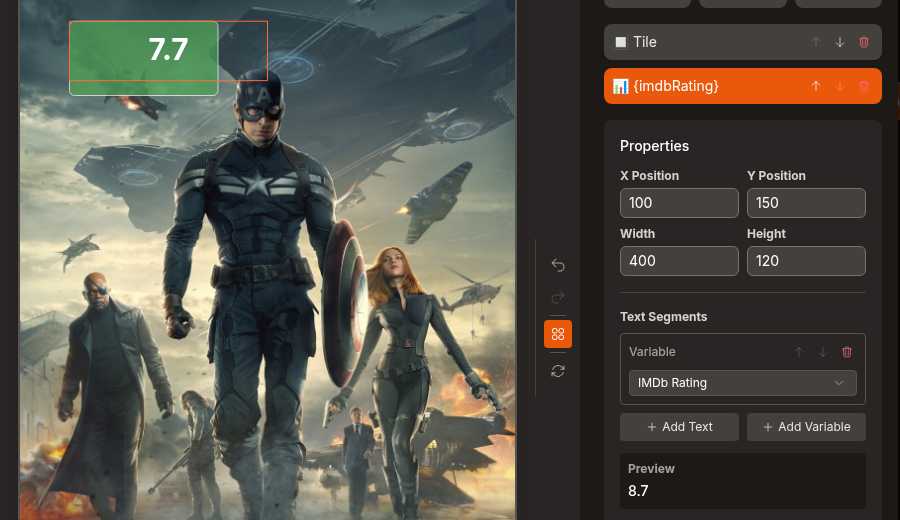
- Open the overlay editor and add a Variable element.
- Under Text Segments, click Add Variable.
- Open Select a variable... and pick one. The names below match that list and use the same group headings.
Mix Add Text and Add Variable segments to build something like SEASON 3 IN 12 DAYS.
If an item doesn't have a value for a variable, Agregarr skips the whole Variable element for that item. Date variables also get a Date Format dropdown. It defaults to MMM DD, for example DEC 20.
Most of these variables work in conditions too. See Overlay Conditions.
Release dates (Coming Soon group)
Movie dates follow the country set in Watch Provider Region under Settings > General. If that country doesn't have a date of that type, Agregarr uses the earliest date from any country.
| Variable | What it contains | Applies to |
|---|---|---|
| Release Date Is Estimated | true when the release date is a guess (theatrical date plus 90 days). false when a digital or physical date has been published. Empty when the item has no release date. |
Movies |
| Theatrical Release Date (Movies) | The theatrical date, for example OCT 25. |
Movies |
| Digital Release Date (Movies) | The digital date, for example DEC 25. |
Movies |
| Physical Release Date (Movies) | The physical date, for example JAN 14. |
Movies |
| Days Since Theatrical Release (Movies, negative before the date) | Whole days since the theatrical date. 61 is two months ago, -20 is 20 days away, 0 is the day itself. |
Movies |
| Days Since Digital Release (Movies, negative before the date) | Same, for the digital date. | Movies |
| Days Since Physical Release (Movies, negative before the date) | Same, for the physical date. | Movies |
| Days Since Home Release (Digital or Physical, negative before the date) | Same, counted from the earlier of the digital and physical dates. | Movies |
| Release Date Source (digital/physical/estimate) | Where the release date came from: digital, physical, estimate (theatrical plus 90 days) or tmdb (a single date with no release types). |
Movies |
| Days Since Next Season Premiered (TV) | Days since the most recent season premiere. Specials and seasons that have not aired are ignored. | TV shows |
For a Coming Soon movie, if Radarr has a digital or physical date, Agregarr uses the earlier one. Release Date Is Estimated is then false.
Seasons and episodes (also in the Coming Soon group)
| Variable | What it contains | Applies to |
|---|---|---|
| Total Seasons (TV) | The number of seasons the show has, for example 5. |
TV shows |
| Seasons in Plex (TV) | The number of seasons Plex holds for the show, for example 2. A Specials season counts as one. |
TV shows |
| Season Number | On a season poster, that season's number. On an episode card, the episode's season. On a show poster, the season of the next upcoming episode, for example 5. |
TV |
| Episode Number | On an episode card, the episode's number. On a show poster, the next upcoming episode's number, for example 16. |
TV |
The built-in Returning Soon banners use Season Number to show SEASON 3 IN 12 DAYS.
Other variables
| Variable | Group | What it contains | Applies to |
|---|---|---|---|
| Edition | File Info | The edition, for example Extended Cut. It reads the edition set in Plex first, then an {edition-...} tag in the file name. |
Items with an edition. Not Coming Soon placeholders. |
| Collection Rank | Collection | The item's position in a collection, counting from 1, for example 3. |
Movie and show posters |
| Missing Episode Count (TV) | Status | Aired, monitored episodes in Sonarr that have no file, added up across all seasons except Specials, for example 3. Empty if the show is not in Sonarr. |
TV shows |
| Days Until Maintainerr Action | Status | Days until Maintainerr deletes the item. See Maintainerr Countdown. | Movies, shows, seasons |
Edition
Edition works in conditions too, as Edition in the Plex Data group. You can also use it as the Source Field for a Mapped element, which picks an icon by edition name. Matching ignores upper and lower case.
Collection Rank
Pick Collection Rank under the Collection heading, then choose a collection from Rank within collection. The list includes your Agregarr collections and Plex collections, with Plex collections marked (Plex), grouped by library. It doesn't include filtered hubs, Coming Soon collections, or collections that create several Plex collections.
The rank follows the collection's sort order in Plex. Items outside the collection don't get a number. Ranks never appear on season or episode artwork.
Episode media
These two only work when Use episode files for quality badges is turned on for the library. See Episode Scanning.
| Variable | What it contains | Applies to |
|---|---|---|
| Last Episode Added Date | The date the newest episode was added to Plex, including Specials. | TV shows |
| Days Since Last Episode Added | Days since that date, for example 3. |
TV shows |